Reports
The Report pill — on the card list or on a card's screen — opens Generate report with two types: IOF paid and Forecast vs. actual. Opened from a card's screen, it already comes with that card in the filter and the type of the tab you were on.
| Step | Options |
|---|---|
| Type | IOF paid or Forecast vs. actual |
| Detail level | Summary (the groups) or Detail (the groups and, below each one, its entries) |
| Group by | IOF only: Month, Card, Category or Supplier |
| Period | Required. For the IOF, by purchase date; for forecast vs. actual, by charge month |
| Filters | Cards, Category and Supplier (optional) |
Include chart adds the chart above the table. Generate report opens the report on a page of its own, ready to print.
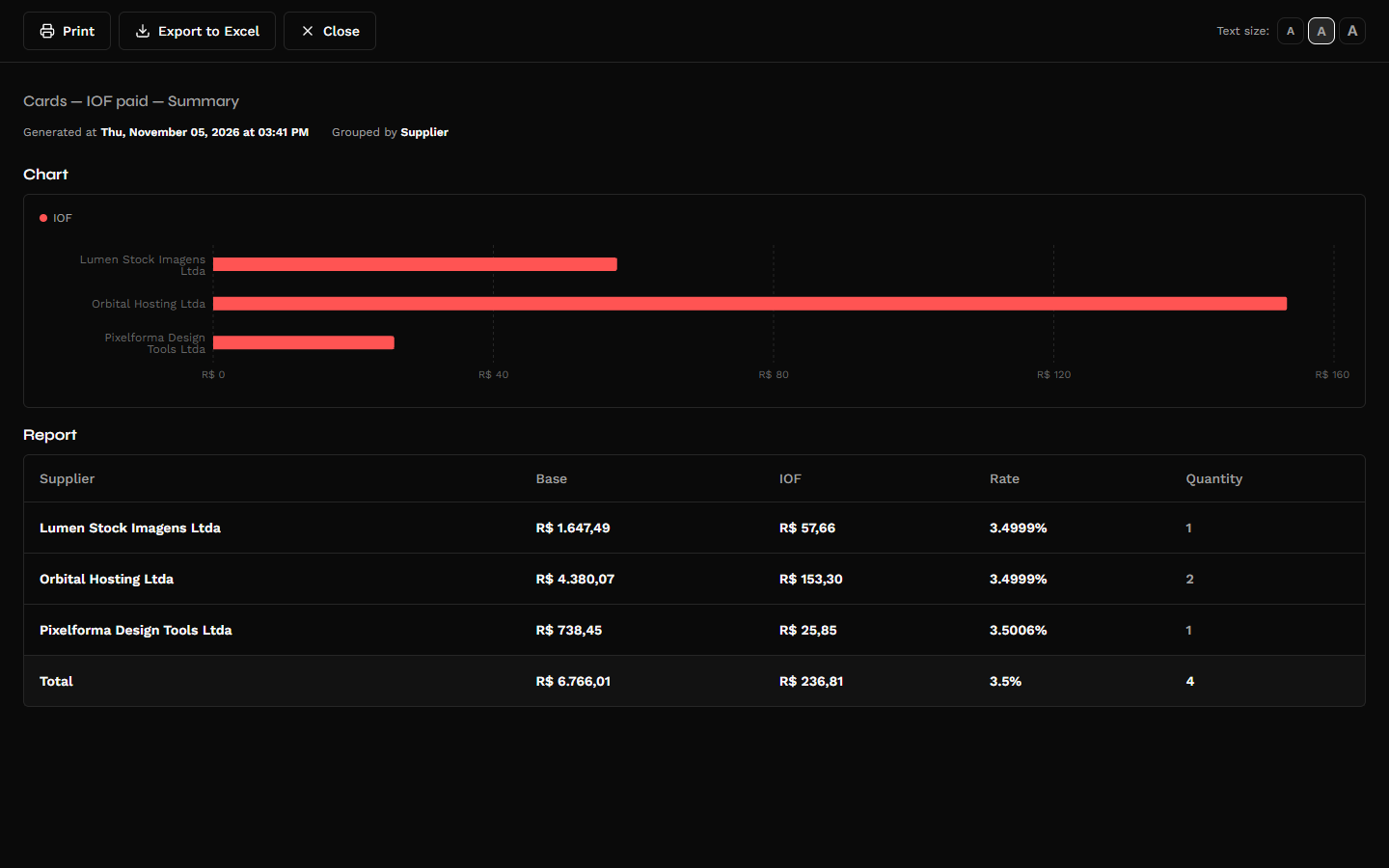
IOF paid
The IOF on international purchases treated as a tax: for each group, the Purchase amount (in reais, without the IOF), the IOF, the Rate and the number of purchases, with the total at the end.
- Only realized or reconciled entries with IOF count. An expected charge has not paid any tax yet.
- A refund with the IOF returned subtracts from the group.
- By category, a purchase split across categories shares out its IOF in the same proportion. Filtering by category counts only the purchase's share in the chosen categories.
- In Detail, each purchase shows the currency, the amount in that currency, the exchange rate, the purchase amount, the rate stored on it and the IOF.
The group's rate is the effective one: the IOF divided by the purchase amount. Since each purchase's IOF is rounded to the cent, it may show as 3.4999% for a group of purchases at 3.5%. Each purchase's rate, in the detail, is the one stored on it.
Forecast vs. actual
For each recurrence, month by month: the Forecast (the expected amount), the Actual (what was confirmed; not charged counts as zero), the Difference and the Difference (%), always in reais and without IOF — the same calculation as the Variance column on the Recurrences tab.
A month still forecast counts in the forecast and has no actual nor difference. The Months column shows how many are confirmed: "6 (2 to confirm)". "The difference compares the confirmed months only; the forecast adds them all."
Export as CSV or XLSX
On the report page, Export to Excel opens the export with the choice of Format: CSV or XLSX. The columns are the same as on screen, in both formats:
- CSV in the Brazilian layout (semicolons, decimal comma), like the product's other reports;
- XLSX with real numbers — currency, percentage and date formatted, frozen header —, ready to add up and filter in a spreadsheet.
Through the API and MCP
The same figures come from GET /card-transactions/aggregates, grouping by card, statement, category, person or month, with sum_iof_amount and sum_base_amount in each group, and from the finance_card_transactions_aggregates tool of the MCP server.