Payables
Payables (/payables) record the organization's outgoing commitments: supplier invoices, operating expenses, taxes, payroll, and any past or future disbursement obligation.
In this section
Lifecycle
States, transitions and the approval gate — Draft → Pending → Paid.
Installments and recurrence
Split into installments or repeat periodically — the three bill types and how series behave.
Operation and payment
Operation type, document (bank slip, utility bill, tax, PIX) or transfer (TED, PIX), and the payment coordinates.
Tax / tribute
DARF, DARE, GRU, GPS, FGTS, ICMS, ISS, IPTU and ITBI — how to enter the tax form and what goes to the bank.
Sending to the bank (Banking Gateway)
Send approved payables to the bank through the Banking Gateway — prerequisites, status and automatic settlement.
CSV import
Import batches of payables from a spreadsheet — accepted columns, the forgiving format and the approval gate.
The list
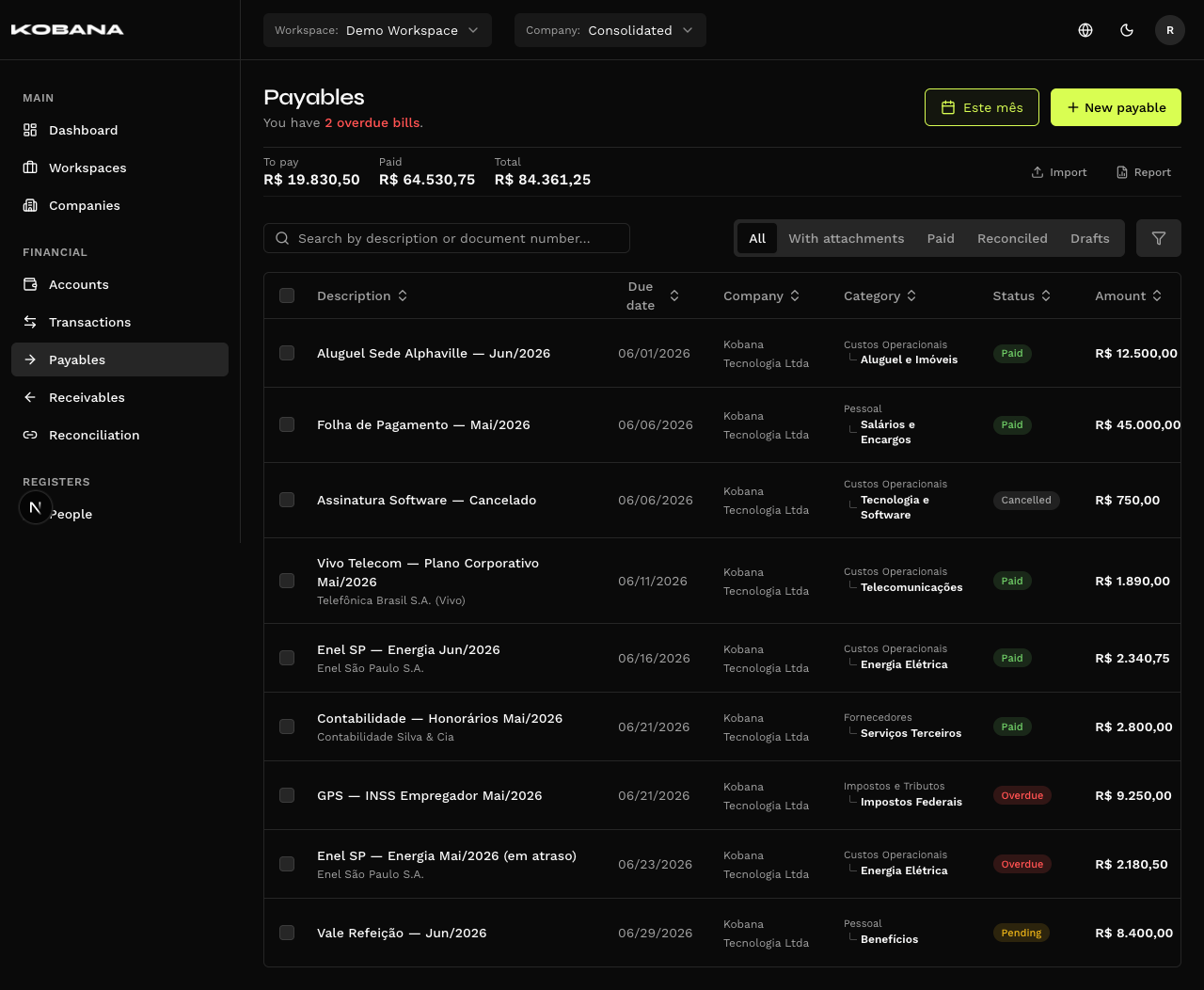
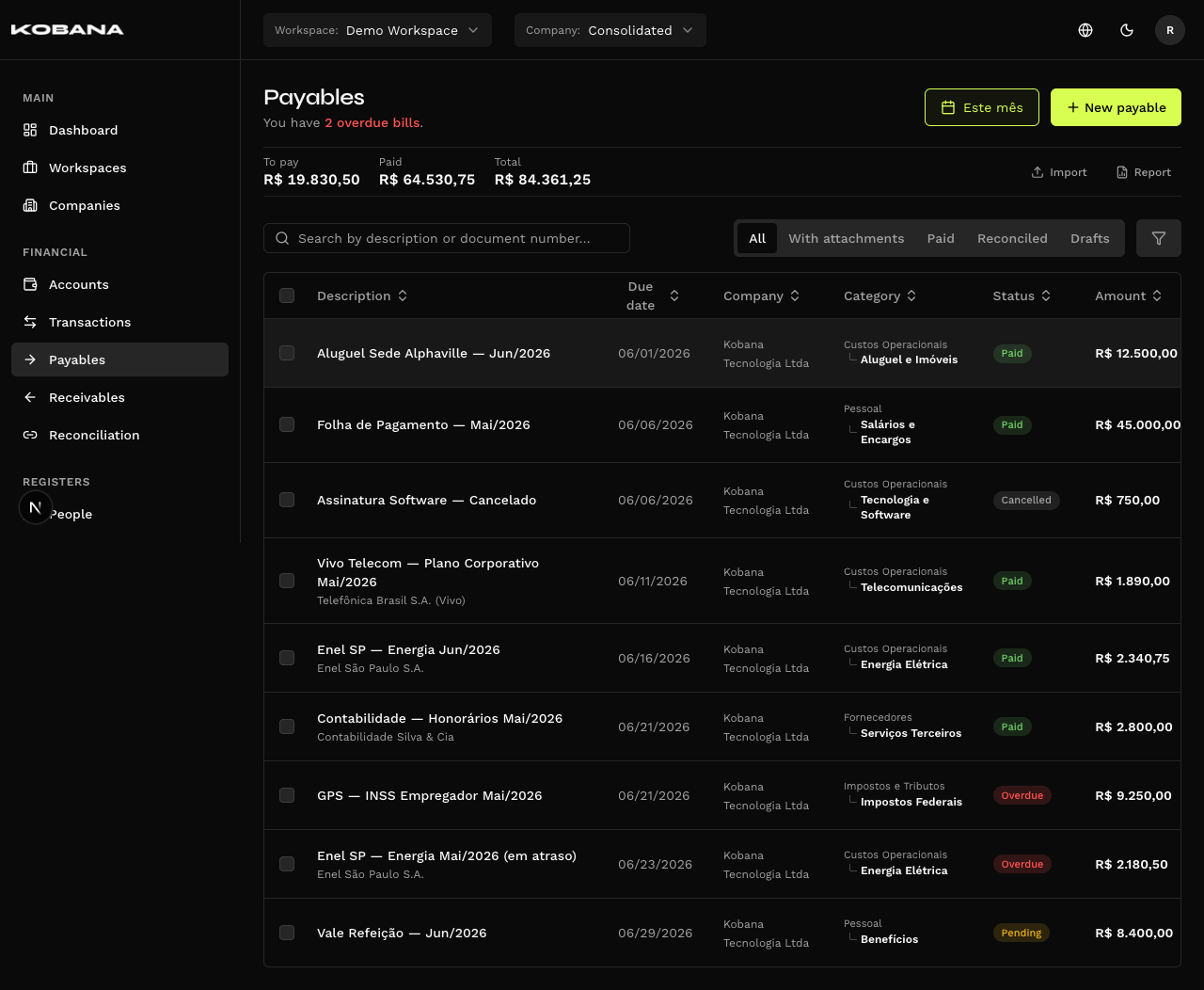
The header opens with three totals for the period — To pay, Paid and Total — and an actionable subtitle: if anything is late, "You have 3 overdue bills" renders the red fragment as a button that applies the overdue filter; if nothing is late, "You're all caught up on your bills."
The header also holds the period button, "New payable" and — only with the gateway connected — "Send payments", which opens the batch dispatch inbox. The red counter beside it counts everything the inbox will list: bills overdue and due in the next 7 days, ready or blocked. That's where the batch goes out from; the list has no per-row shortcut to the bank.
To the right of the totals sit the "Import" (opens the panel below and clears search and filters) and "Report" (opens in a dialog) pills. Import requires a specific company to be selected.
Filters
- Search — by description or document number.
- Quick filters — All, With attachments, Paid, Reconciled, Drafts.
- Advanced filters — a panel with the combined criteria, an active-filter counter and a summary you can clear or edit.
Columns
Description, Due date, Category, General status, Status at the bank, Amount and Settlement — plus Company, only in the consolidated view. Tax and Notes are hidden by default; so is Settlement. Turn them on from the column menu.
General status and Status at the bank are two columns, both sortable, side by side — not one status with a chip stuck to it. One says what Smart Finance knows; the other, what the bank reports. See Lifecycle.
Row actions
The same nine as on the receivables side, with the payables labels:
| Action | When it shows |
|---|---|
| Mark as paid | While manual settlement is still possible |
| Reconcile | Already paid and not yet reconciled |
| Installments | Installment type |
| Recurrences | Recurring type, inside a series |
| Classify | Always |
| Edit | Always |
| Undo | Already paid |
| Cancel | Pending only, and off the gateway track |
| Delete | Always |
A bill already dispatched to the bank offers neither "Mark as paid" nor "Cancel". Voiding it here would leave the payment alive on the gateway. The way out is "Cancel dispatch", on the gateway card in the detail screen.
Canceling the dispatch does not undo it: the bill stays on the gateway track, now carrying the Canceled badge. The only thing that comes back is "Mark as paid" — the dispatch never went through, so the bill is still pending and someone has to close it outside the system. "Cancel" does not come back: once sent to the bank, a bill can never again be canceled from the list. See Sending to the bank.
Bulk actions
"Classify selected" (only with a specific company) and "Delete", with the selection's To pay, Paid and Total updating live.
The form
Company is not a field — it comes from the header selector.
ESSENTIALS
| Field | Notes |
|---|---|
| Amount (R$) | Required. Currency field with a mask |
| Due date | Required. On creation, relative-date shortcuts are available |
| Pay from | The financial account expected to fund the payment |
| Description | Required |
| Supplier | Required. Picking an existing supplier pre-fills their payment information |
| Accrual month | Required. Month picker |
"Pay from" is the expected account, and it is the form's only account field. The account that actually paid isn't typed here: you choose it at settlement, in the "Source account" field of the "Confirm payment" dialog.
CLASSIFICATION
Type (required: One-time, Recurring, Installment, revealing Recurrence or Installments), Category and Classification center with the Split shortcut.
OPERATION & DOCUMENT
The axis that sets payables apart from receivables:
- Operation type — Document payment or Transfer.
- The next field only appears after that choice, and its name changes with it: "Document" (Bank slip, Utility bill, Tax / tribute, PIX…) or "Transfer type" (Bank transfer (TED), PIX). Switching the operation clears an incompatible method.
- Document number and Document date.
The choice unlocks the payment coordinates — barcode, PIX, bank details, tax form data. See Operation and payment and Tax / tribute.
RECEIPT DELIVERY
Who receives this payment's receipt by email, with the file attached, as soon as a receipt is attached to the bill. Takes any address — the supplier's accountant, the payee — with an optional label to tell them apart.
The list applies to this bill. When you create an installment plan or a recurrence, every installment and every occurrence is born with the same recipients, because each one produces its own receipt — but changing the list afterwards affects only the bill you are editing. It does not replace the members selected under Receipts: they keep getting their own notices.
This block does not depend on the operation you picked. Unlike the payment coordinates, it neither changes nor clears when you switch the document or the transfer type — and it stays editable even after the bank confirms the payment, because it says who to notify, not what the bank did.
Withheld taxes · Notes and IR
Withheld taxes (pills for taxes withheld at source), the "Tax-relevant" pill and "Add note".
Attachments
When creating, you can attach files before saving.
Confirm payment
Two tabs:
- Pay — Payment date and Source account. Marks the bill as paid and creates the debit transaction.
- Pay & reconcile — "Pay this bill by linking it to a transaction that already exists in the statement — no duplicates."
The "Payment adjustments" section (optional) accepts Interest and Discount. Below it, Amount paid shows what leaves the account — that figure, not the bill's own value, is what the debit transaction is booked at.
A payment confirmed by the bank locks part of the form. "What describes the payment — amount, due date, supplier and the payment information — can no longer be changed. Internal classification (category, center, attachments, notes) stays editable." See Lifecycle.