Financial accounts
Financial accounts (/financial-accounts) represent the bank and cash accounts of the workspace's companies. Each account's balance is calculated from the transactions recorded against it.
Two operations live inside the account, and are documented separately:
Bank statements
Import OFX and QIF into the financial account — deduplication, history and undo.
Transfers
Move money between accounts of the workspace — two mirrored transactions.
Account types
Checking · Savings · Cash · Investment · Credit
The type you pick changes the form: Cash has no bank details — the whole section disappears, and anything already filled in is cleared.
Fields
Essentials
| Field | Required | Notes |
|---|---|---|
| Name | Yes | E.g.: "Main checking account" |
| Type | Yes | — |
| Initial balance | Yes | On creation only |
| Company | No | Linking one lets you filter by company |
Bank — does not appear on Cash accounts
| Field | Required |
|---|---|
| Bank | Yes |
| Branch | Yes |
| Digit (the branch's check digit) | No |
| Account number | Yes |
| Digit (the account's check digit) | No |
Status
A single option: Disable reconciliation, for accounts that shouldn't take part in reconciliation (a manual petty cash box, say).
Watch which fields are required — it's usually read backwards: the Company is optional — an account can exist with no company. The Bank, on the other hand, is required on Checking, Savings, Investment and Credit, along with the branch and the account number. Only on Cash do they not exist at all.
Balance
The Initial balance is entered on creation only. After that the field leaves the form, which then shows the hint "Balance is updated automatically by transactions."
To correct the balance of an account that already exists, use Adjust balance — click the balance figure on the account detail. You enter the real balance and the date, and the system creates one adjustment transaction that brings the account up to the figure you gave.
An adjustment can't be edited afterwards — only deleted. To fix a wrong adjustment, record a new one.
Listing
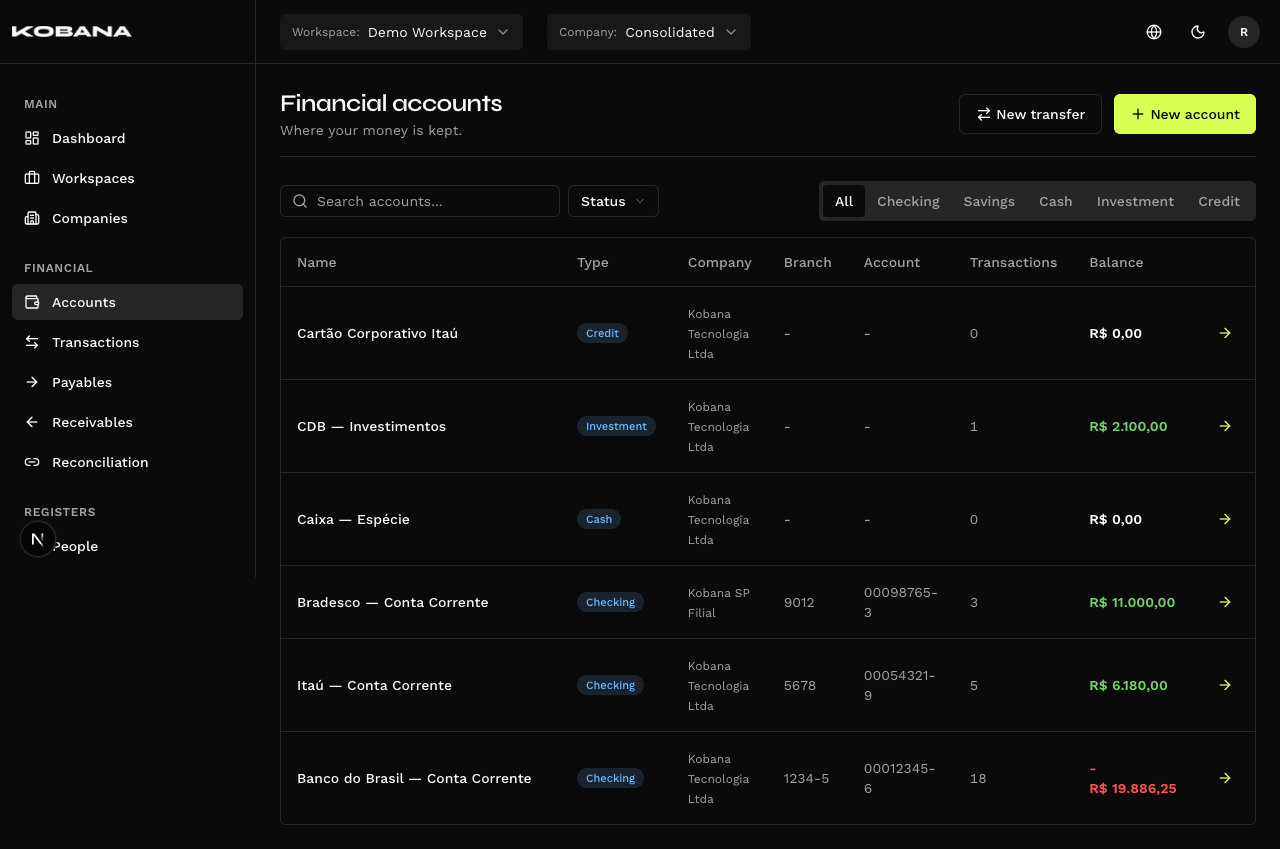
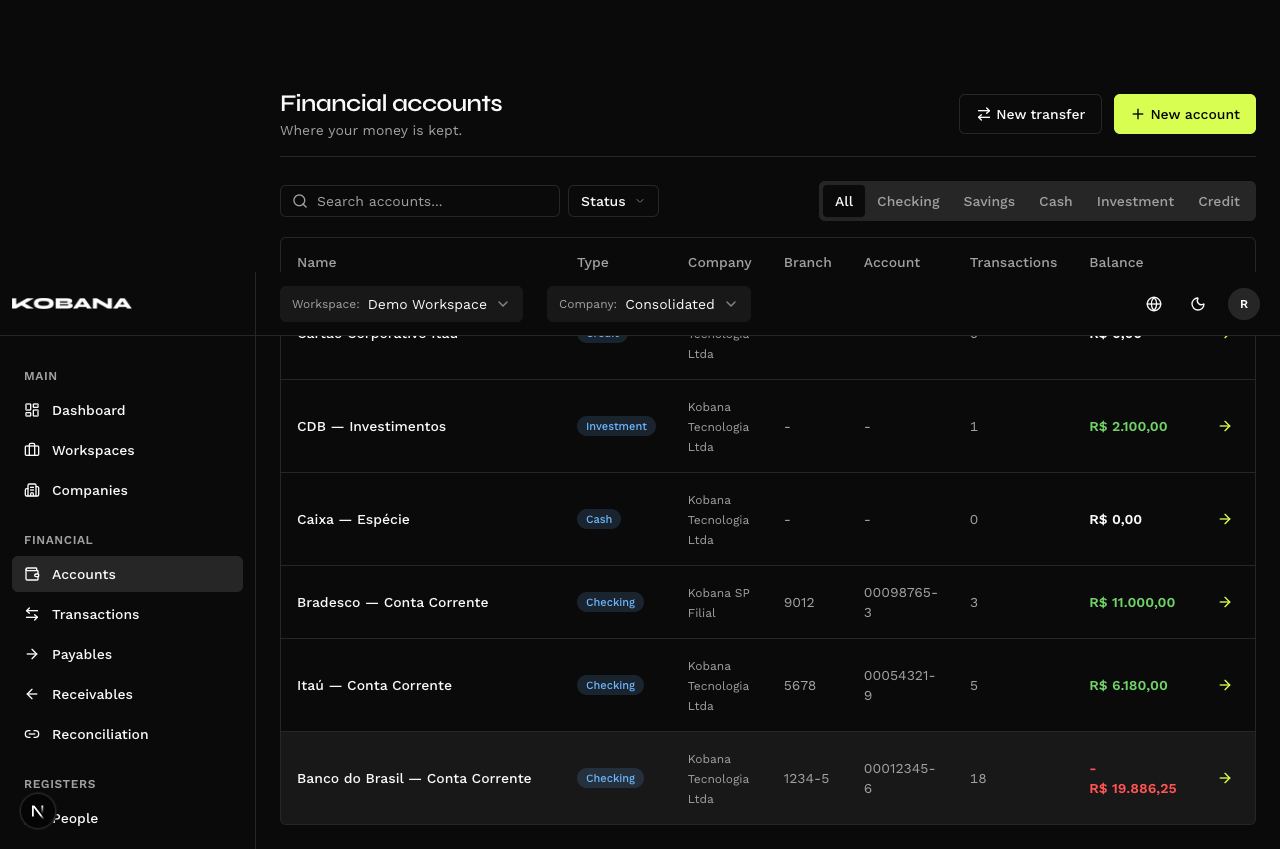
Columns: Name (with the bank on the line below), Type, Company (only in "Consolidated" mode), Branch, Account, Transactions and Balance. The arrow at the end takes you to the account's transactions.
Filters: search by name, tabs by type (All · Checking · Savings · Cash · Investment · Credit) and the Status filter (Active / Archived).
The header has New account and New transfer.
Archiving
An archived account stays in the listing, with the Archived badge. The Status filter starts out with nothing selected — meaning you see active and archived together until you choose.
Archiving and unarchiving are row-menu actions (Archive / Unarchive), not a form field. The menu also carries Edit and Delete.
Account detail
Besides the transactions, the detail brings three actions: Statements, Import and Report. They appear once the account has transactions.
Statements and Import require a specific company selected in the header — under "Consolidated" the panel just tells you so.
Managers
The Managers section, on the account detail, keeps the bank managers serving the account — with history. More than one manager can be active at a time.
- Add manager has two tabs, sharing the Start date. In Registered manager you pick who serves the account among the account's company people with the Account manager role. In New manager you fill in name, e-mail, phone and notes, and Register and add creates the person already as a manager — they also show up in People, where you complete the rest of the record.
- Each active manager shows as a card with their phones and e-mails and the shortcuts Chat on WhatsApp (mobile only), Call and Send e-mail.
- End records the End date: the manager leaves the active ones and moves to the Manager history, collapsed below the cards.
- Edit dates fixes start and end. Delete erases the entry — only use it to undo an entry made by mistake.
A manager is a person of the account's company. An account without a company has no managers — the section asks you to link the account to a company. A manager serving two companies is registered in each.
Deleting the person ends their active tenures that day; they stay in the history.
Accesses
The Accesses section, also on the account detail, records who on the team operates the account at the bank, and at what level — Owner, Administrator, Manager, Viewer or No access. No access is a level recorded on purpose, different from the person not being listed.
- Add access picks a person from the account's company (or registers a new one by name) and the Access level. The person gets the Team role.
- Each person has one level per account — to change it, switch the level right in the list.
- Remove access takes the person off the list. Accesses have no history: what is removed is not kept.
As with managers, only people of the account's company, and an account without a company has no accesses.
Banking Gateway integration
Checking and savings accounts can be synced with the Banking Gateway, which enables statement sync and payment dispatch. Cash, Investment and Credit accounts aren't supported and stay out.
There are two routes to the link, and they meet in the same place:
- From there to here — the Sync bank accounts button on the integration screen imports the accounts registered in the gateway and links the ones that already exist here. See Banking Gateway.
- From here to there — an account that only exists here gets an Add to the banking gateway button on its own page. You choose which one to send; the send creates the account in the gateway with the bank, branch and number registered here, and asks for a confirmation first.
Nothing is duplicated. The match is by bank, branch number and account number. If the account you send already exists in the gateway with those same coordinates, it is simply linked, not created again. The check digits are left out of the comparison: they follow from the number itself, so one side having them and the other not — or registering them glued on, as in 5555-0 — does not make it a different account. For the branch, the first four digits count, so 1234-5, 12345 and 1234 are the same branch.
The same rule applies to the Fintera import: an account that already exists here (created by hand or pulled from the gateway) is linked to the Fintera account, not imported again. And if the gateway itself holds two accounts with the same bank, branch and number, only the first is brought in — the other shows in the preview as Duplicate in gateway.
An account that is already linked shows a Kobana badge in the listing and on its own page, and the send button disappears — there is nowhere left to send it.