Integrations
Integrations (/settings/integrations) connects your organization to external services. It's an item in the System group of the menu.
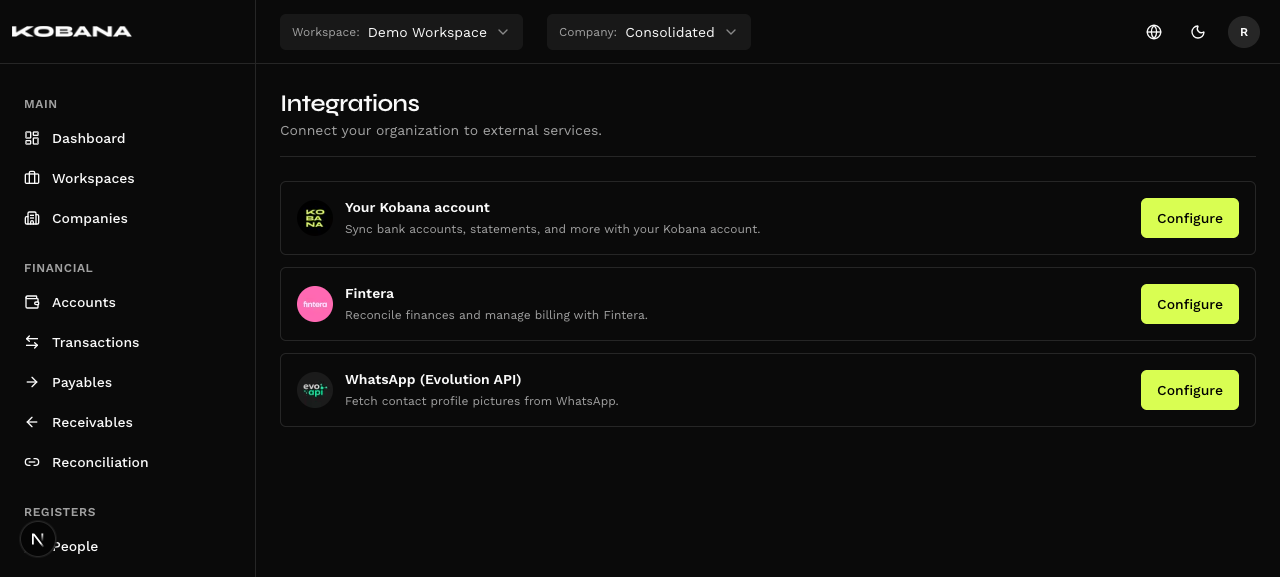
Available integrations
Banking Gateway
Sending payments to the bank and syncing accounts, statements and people via Kobana.
Fintera
Importing financial data from Fintera — eleven resources, company binding and schedules.
Profile pictures for customers and suppliers via the Evolution API — per-company setup.
Each card leads to that integration's page, with its connection instructions.
Status
The status badge sits next to the integration's name, and only appears in two cases:
| Situation | What you see |
|---|---|
| Connected | A round green icon. The word "Connected" isn't written on screen — it's in the tooltip, on hover |
| Error | A red badge reading "Error" — invalid credentials or a connection failure |
| Not configured | Nothing. The badge simply isn't drawn |
The absence of a badge is the information. An integration that hasn't been connected yet doesn't display "Not configured": the space is left empty. The text exists in the system, but no screen shows it.
The WhatsApp card has no badge at all, not even when it's configured. Status is only computed for the Banking Gateway and for Fintera — the WhatsApp connection is per company and lives somewhere else. To find out whether it's up, open its page.