Transactions
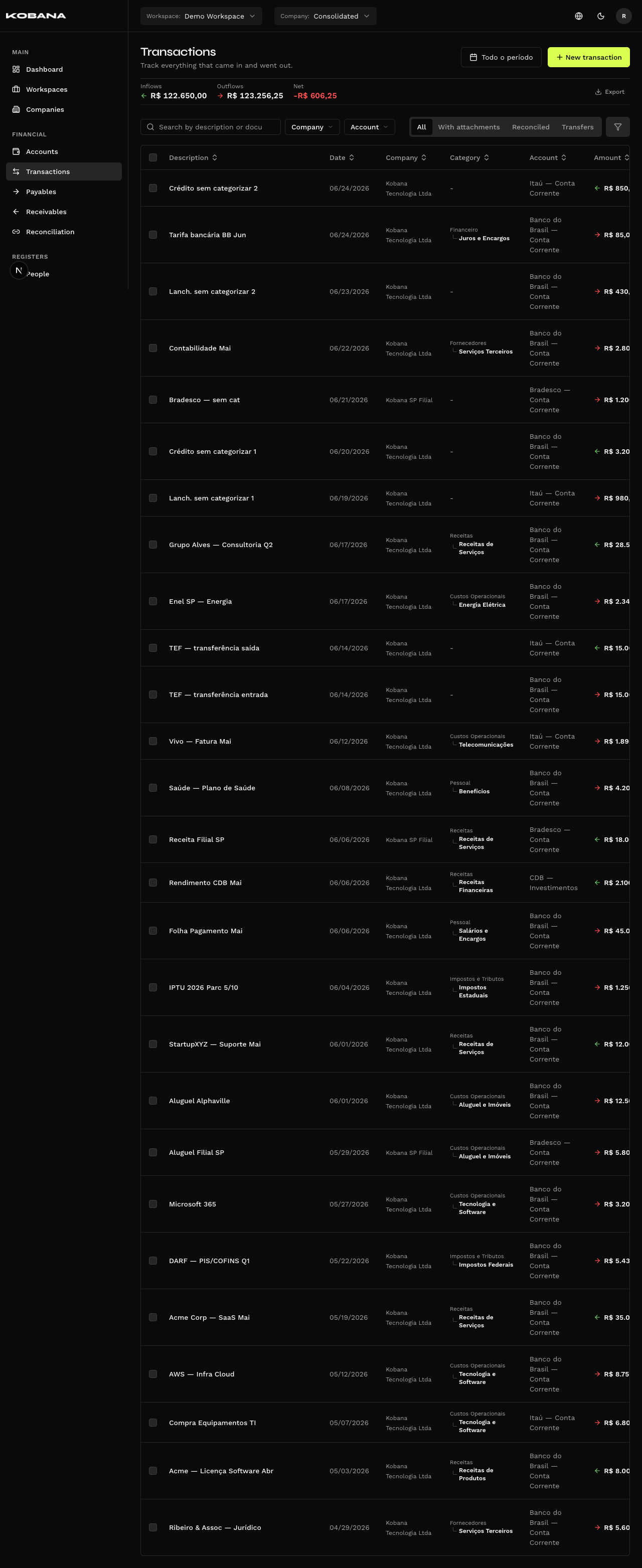
Transactions (/transactions) are actual financial entries linked to financial accounts. They represent real money movements — credits (inflows) and debits (outflows) — and serve as the basis for reconciliation with payables and receivables.
Navigation
- CSV Import — Import entries via spreadsheet
Transaction Types
| Type | Description |
|---|---|
credit | Money inflow into the account |
debit | Money outflow from the account |
Fields
| Field | Description |
|---|---|
| Date | Movement date |
| Description | Transaction text (e.g. bank statement history) |
| Amount | Value in BRL |
| Type | credit (inflow) or debit (outflow) |
| Financial account | Account where the movement occurred |
| Category | Classification category |
| Cost center | Cost center |
| Person | Associated person |
| Document | External identifier |
| Notes | Internal notes |
| Origin | How the transaction was created: manual, CSV import, bank statement, payable/receivable settlement, transfer |
Automatic Creation
Transactions are created automatically when:
- A payable is settled (creates a debit in the selected account)
- A receivable is settled (creates a credit in the selected account)
- A transfer is recorded (creates a debit in the source and credit in the destination)
- A bank statement is imported and committed
Reconciliation
Transactions can be reconciled with payables and receivables. A reconciled transaction displays its link in the detail view and on the Reconciliation screen.
Listing
The /transactions screen displays transactions filtered by account, period, type, and category. The total credits and debits for the filtered period are shown in the listing footer.